Learn it. Practice it. Review it.
Practice investing with $100,000 in virtual cash
Paper trading means practicing investment decisions with simulated money. Use Redvest in your browser to explore stocks, read charts, place practice orders, and review your portfolio without depositing real money.
Virtual money only. No deposit needed. Educational content, not personal investment advice.
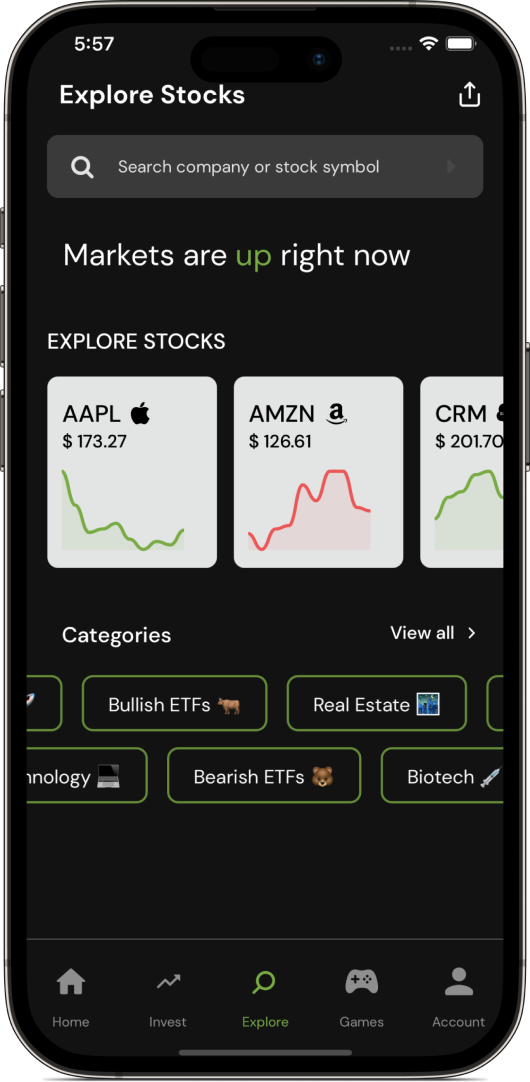
Your next steps
- STEP 1
Create your practice account
Sign up, then check your portfolio and cash balance. Your account starts with $100,000 in virtual USD. It belongs to your account and remains connected when you sign back in. It cannot be withdrawn or exchanged for real money.
Create a Redvest account → - STEP 2
Research before placing an order
Explore a stock and its chart. Record your learning goal, the price you see, and the question you want to test. Choose a small practice amount you can understand and review.
Learn to read a stock chart → - STEP 3
Understand cash and buying power
Cash is the account’s uninvested virtual money. Buying power may be larger because paper accounts can include simulated margin. It is not extra cash. An order may remain open instead of filling immediately; check its status before trying again.
Open the simulator → - STEP 4
Keep a practice journal
Record what you expected, what happened, and what you learned. Review positions and order history after each exercise. Your cash and portfolio value change with account activity; they should not reset when you reload or sign in.
Read the practice playbook →
Before you start
Is the $100,000 real money?
No. It is virtual USD for simulated trading. You cannot withdraw it. Redvest Coins are separate game points, not the paper-trading cash balance.
Why is buying power different from my cash balance?
A paper account may have simulated margin buying power above its cash balance. Read cash, portfolio value, and buying power as separate measures. Buying power is not a signup cash reward.
Do I need to download an app?
No. You can open the React Native web app in your browser. Redvest also links to its iOS and Android apps.
What if my balance does not load?
Wait for account setup to finish and retry the connection. An unavailable balance is not zero. If it persists, contact Redvest support with the error message. Never share your password.
For independent investor education, visit the SEC’s Investor.gov introduction to investing. Read our investing guides for more examples and sources.